8 Reasons Your Google My Business Listing Isn’t in the 3-Pack
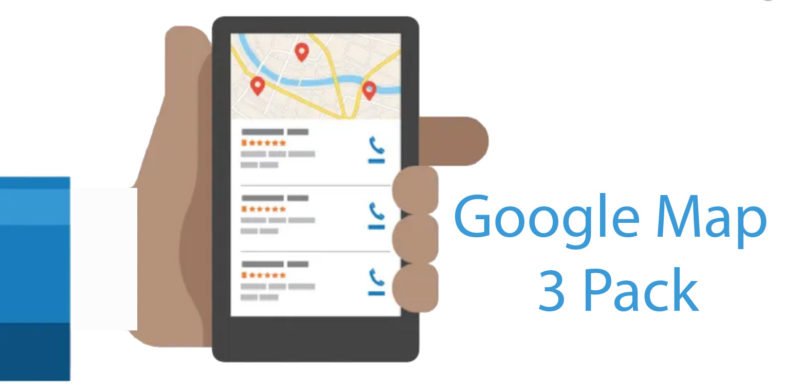
You can Google any service that you can think of that a nearby company provides. Google will probably show you a box underneath a map that lists three local companies.
This local box will appear in your Google search results 93% of the time, and the #1 local pack result receives 17.8% of click-throughs, followed by 15.4% for #2 and 15.1% for #3. But as a local SEO, you know that finding Google’s local sweet spot could be challenging. Not to add, the ranking system is constantly evolving, so you should always be informed of the local rating factors that local businesses employ.
Despite throwing numerous backlinks at your site, optimizing your Google My Business (GMB) listing, and constantly auditing and updating citations to ensure accurate and consistent NAP (Name, Address, Phone number) information, you still find it challenging to break into the top 3 spots or the Google Local 3-Pack. If this situation sounds familiar, you may be encountering one of the major local ranking challenges that could indefinitely prevent your GMB listing from reaching the 3-Pack. To identify these factors and learn how to overcome them, we consulted several GMB optimization experts who identified the following eight problems that might be holding your listing back from ranking in the 3-Pack.
Here are some of the reasons your GMB isn’t ranking and what you can do about it.
How to Address Location-Related Issues
Challenge #1: Not Located in the City
Google’s top ranking factor for local searches is proximity, closely followed by having an address in the target city. Since the Possum update in 2016, Google’s algorithm has focused on providing hyper-local search results and the 2024 algorithm updates have further increased the weight of proximity, making it even more critical for businesses to be close to the searcher’s location to rank well in local search results. This includes a reduced search radius, which can be challenging for businesses looking to expand their service areas. If your business isn’t located in the city you want to target, proximity and the Possum filter can hinder your ranking, but there are ways to improve your chances.
How to Address: Specialization and Testing Before Trying
Start by testing if you can rank in your target city by performing Google searches with and without city modifiers. Check if non-city modifier terms extend your search area. If businesses outside the target city appear in the results, you might have a chance. However, if all top listings have city addresses, you may need a new listing with an address in that city to compete.
Consider these strategies:
- Specialization: Narrow your focus to reduce competition or increase your service area radius. For example, a specialized service (like a root canal by a dentist) may attract clients willing to travel farther.
- Google Ads: Invest in Google Ads to appear in the maps pack for your keywords in the target city. Note that this places your ad in a separate pack above the organic listings.
Chaz’s Advice:
For proximity or location issues, hyper-local targeting can help you show up in areas where you don’t have a listing. Although you might not rank for broad city keywords, targeting specific neighborhoods or zip codes can improve visibility. For instance, instead of aiming for “personal injury attorney Baltimore,” target “personal injury lawyer near Fells Point.”
In summary, optimizing your GMB listing for location-based challenges involves testing your ranking potential, considering specialization, and using hyper-local targeting to improve your chances.
Challenge #2: Overlapping Service Areas
When a business has multiple locations with overlapping service areas, one listing might get filtered out by Google, even if the listings have different addresses, phone numbers, and slightly different names. This issue is especially problematic for service area businesses with multiple listings serving the same areas.
How to Address: Manually Checking Zip Codes & Setting Service Area
- Limit One Location Per City:
-
- Single Listing Strategy: Ideally, maintaining only one location per city can help avoid the common filtering issues caused by overlapping service areas. By focusing on a single listing, you can consolidate reviews, customer interactions, and SEO efforts, making your listing stronger and more authoritative. Additionally, having one well-maintained listing reduces the complexity of managing multiple listings and ensures all customer engagements are centralized, enhancing your business’s online presence.
-
- Distinct City Areas: If your business operates in a large city such as Las Vegas, it might be beneficial to create distinct listings for different parts of the city, like North Vegas and South Vegas. This segmentation should be carefully planned, ensuring that each listing has a unique address and phone number. By doing so, you can target different customer bases effectively, providing more localized services and increasing your chances of appearing in relevant local searches. This approach helps in capturing diverse market segments within a large city without causing internal competition between your listings.
- Manual Zip Code Review:
-
- Search ‘Zip Codes for City’: Begin by finding a comprehensive list of zip codes for your target city using resources like the USPS website, local government websites, or dedicated online databases. These sources provide accurate and up-to-date information about the zip codes that cover various parts of the city, ensuring you have a detailed understanding of the geographic layout.
-
- Manually Search Zip Codes: Investigate each zip code to see which specific areas they cover. Utilize tools like Google Maps to visualize these areas, allowing you to see the exact neighborhoods and boundaries that each zip code encompasses. This step is crucial for identifying potential overlaps between different service areas.
-
- List Generated Cities: Document the cities and neighborhoods associated with each zip code. Creating a detailed list helps in understanding the distribution of your service areas and identifying any overlaps. This list will serve as a reference for setting service areas in your GMB listings.
-
- Avoid Overlap: If you identify any zip codes that service both locations, ensure to remove these zip codes from one of your listings. This can be managed through the GMB dashboard by setting precise service area boundaries. By carefully managing these settings, you can prevent overlap and ensure each listing serves a distinct geographic area, thereby reducing the risk of filtering.
- Include Nearby Suburbs:
-
- Comprehensive Coverage: When searching for zip codes, include the suburbs surrounding the main city to ensure complete coverage without overlap. Suburbs often represent significant market opportunities, and including them in your service area can help expand your reach while maintaining distinct boundaries between listings.
-
- Suburb Listings: If your business has only one location in a city, you can include all relevant zip codes for the entire area, including nearby suburbs. This approach maximizes your listing’s reach and ensures you capture potential customers from a broader geographic area. It’s important to optimize your listing for each of these zip codes to improve visibility and attract more local traffic.
Chaz’s Advice:
- Different Listing Titles:
-
- Unique Titles: Use slightly different titles for each Google My Business (GMB) listing to help distribute the brand’s mentions and documents appropriately. For example, instead of using the same business name for multiple listings, modify the titles to reflect the specific service area, such as “Brand Name – North Side” and “Brand Name – South Side.” This strategy helps differentiate the listings and can improve their relevance to local searches, thereby reducing the likelihood of one listing being filtered out.
-
- Avoid Duplication: Ensuring that the titles are unique helps avoid duplication issues and makes each listing more relevant to the searcher. Unique titles can also enhance the user experience by providing clearer information about the specific location and services offered at each site, which can lead to higher engagement and better overall performance in local search results.
- Case Study Application:
-
- Proven Strategies: A local GMB case study showed success using these strategies to unfilter multiple service area businesses with overlapping service areas. The study demonstrated that adjusting service areas and ensuring unique titles were key factors in resolving the filtering issues. By implementing these strategies, businesses were able to maintain multiple listings without them being filtered out, thereby improving their visibility and reach in local searches.
Additional Tips:
- Regularly Update and Audit Your GMB Listings: Ensure there are no overlaps in service areas by periodically reviewing and updating your listings.
- Utilize Google’s Guidelines: Follow Google’s guidelines on setting service areas for GMB listings to optimize each location properly.
- Google Ads: Consider using Google Ads to target overlapping areas, ensuring visibility without conflicting with organic listings.
By carefully managing zip codes and service areas, and making strategic adjustments to your GMB listings, you can mitigate the impact of overlapping service areas and improve the visibility of each location.
Challenge #3: Competitors at the Same Address
Affordable, centrally located office space can attract multiple businesses within the same industry to the same address, separated only by their suite numbers. This can cause issues with Google’s algorithm, specifically the Possum filter, leading to your business listing being filtered out due to competition sharing the same address. To avoid this, you need to find ways to work around these algorithms and enhance your business’s visibility.
How to Address: Go Organic
- Analyze Competitors:
Review Competitor Strategies and Category Selection: Take a close look at your competitors’ local listings to understand the ranking factors they are focusing on, such as backlinks, reviews, and category selection. Tools like Google My Business, Moz Local, or SEMrush can help you analyze competitors’ strategies. Check if competitors are using specific categories like “therapist” versus “therapy clinic.” This can give insights into potential category variations that might improve your listing’s relevance and ranking.
- Enhance Organic Signals:
-
- Backlinks: Focus on acquiring high-quality backlinks from authoritative sites. This involves outreach for guest post opportunities and engaging in local partnerships to gain relevant links. The strength and quality of backlinks directly affect your page’s prominence score in Google’s local search results.
- Internal Linking: Improve internal linking on your website to pass authority to the pages linked to your GMB listing. This helps in boosting the overall authority of your business online.
- Referring Domains: Increase the number of referring domains to your website. A diverse backlink profile from various reputable sources can significantly enhance your local search prominence.
- Improve Customer Reviews:
Aim for both quality and quantity in your reviews. Detailed, positive reviews with keywords relevant to your services can improve your local search ranking. Ensure that you respond to all reviews, showing engagement and customer service.
- Optimize On-Page and Site-Wide Content:
Make sure your site is easy to navigate and provides a good user experience. Use clear headers, meta descriptions, and alt texts for images to improve SEO. Also, ensure your website content is well-optimized with relevant keywords and provides valuable information that addresses user intent. Regularly update content to keep it fresh and relevant.
Chaz’s Advice:
- Focus on Organic SEO: Emphasize organic SEO strategies to overcome the Possum filter. The weakest listing in terms of organic authority is the one that is likely to be filtered. Ensure your website has a robust backlink profile as this is a direct factor in the local algorithm.
- Map Pin Adjustment: If possible, nudge your map pin more than 200 feet away from your competitor’s location. This can sometimes help to unfilter your listing from the Possum filter and improve your chances of appearing in local search results.
By focusing on strengthening your organic signals and optimizing your local SEO strategies, you can mitigate the impact of having competitors at the same address and improve your visibility in local search results.
How to Take on Additional Listing Challenges
Challenge #4: Duplicate Listings
Duplicate listings should be a primary concern for any business, especially local ones. With the Possum filter, duplicate Google My Business (GMB) listings often filter each other out, which can be detrimental. Duplicate listings can lead to:
- Listing Removal: Competitors or consumers may mark your business as a mistake or violation, or Google may find your listing in violation of their terms.
- Loss of Traffic/Revenue: Consumers can be misdirected, leading to lost business.
- Divided Ranking Strength: Duplicate listings can split ranking strength and review equity, potentially causing the lesser or incorrect listing to outrank the true listing.
- Trickle-Down Effect: Other platforms might pick up the duplicate Google listing information, creating even more duplicates to manage.
Most duplicate listings are not created maliciously. They often occur due to automation or errors, such as slight variations in the company’s name, address, and phone number (NAP) information. Regular audits and updates to your business citations are crucial to maintaining consistency and preventing duplicates.
How to Address: Removing or Merging Duplicate Listings
Handling duplicate GMB listings involves either removing or merging the unwanted listings. Different scenarios require specific steps, and sometimes, contacting Google is necessary. Here are common actions for managing duplicate Google listings:
- Unverified Duplicate Listing:
-
- Action: Verify the listing to gain control and either merge or remove it.
- Verified Duplicate Listing Without Control:
-
- Action: Claim and verify the listing by following detailed instructions from Google. If there’s no response in one week, Google should allow you to claim the listing, after which you can merge or delete it.
- Duplicate Listing for an Old or Incorrect Address:
-
- Important: Do not mark the business as permanently closed, as this can negatively impact your business.
- Action: Gain control of the listing and verify it from your Google account. Before removing a duplicate:
- Ensure you’re not removing the already verified location, or you’ll need to verify it again.
- Update the location you want to keep with crucial information from the location you plan to remove. Once a location is removed, it cannot be recovered.
- Steps to Remove a Duplicate Location:
- Sign in to Google My Business.
- In “Account Summary,” click Duplicate Locations.
- Click the location you want to remove.
- Click “Delete this listing.”
- Merging Two Listings:
-
- Requirement: You must have ownership of both listings.
- Action: Contact Google My Business support via email or phone to start the merging process. Only Google can merge listings, and the listings must have the same NAP to be merged.
Chaz’s Advice
Follow the steps outlined above to manage duplicate listings effectively. Once you have access to the listings needing merging, contact Google local support for assistance.
By properly managing and regularly auditing your GMB listings, you can avoid the pitfalls of duplicate listings and maintain a strong, consistent online presence
Challenge #5: No Brand/Website Visibility
A quick search for your company name in Google should ideally show your business prominently on the first page of search results. If you see minimal or no results for your brand name, it can severely impact both your local and organic presence. This lack of visibility can reduce customer trust and affect your local prominence score, which influences local map rankings.
How to Address: Start Building Your Brand
Building your brand visibility and trust across the web is crucial for overcoming this challenge. Here are some steps to enhance your brand presence:
- Create and Optimize Your Website:
-
- Build a Website: If you don’t have a website, create one. Ensure it’s optimized for local search terms to help potential customers find your business.
- Mobile-Friendly Design: Make sure your website is mobile-friendly. A significant portion of local searches comes from mobile devices, and Google prioritizes mobile-friendly websites in its rankings.
- SEO Optimization: Optimize your website’s content, meta descriptions, and tags with relevant keywords to improve search engine rankings.
- Create Citations and Directory Listings:
-
- Citations: Create citations for your business on various online directories like Yelp, Yellow Pages, and industry-specific directories. Ensure that your NAP (Name, Address, Phone number) is consistent across all platforms to avoid confusion and duplication issues.
- Directory Accounts: Establish accounts on key platforms where your potential customers might search for services. This increases your online presence and makes it easier for customers to find your business.
- Leverage Social Media:
-
- Social Accounts: Create and maintain social media accounts on platforms like Facebook, Twitter, Instagram, and YouTube. Regularly update these accounts with engaging content to connect with your audience and improve brand visibility.
- Engagement: Interact with your followers by responding to comments and messages promptly. This builds trust and loyalty among your customers.
- Invest in Citation Tracking or Building Services:
-
- Citation Management: Use services like Moz Local, BrightLocal, or Yext to manage your citations across multiple platforms. These services help ensure that your business information is consistent and accurate, enhancing your local search rankings.
- Press Releases and Media Coverage:
-
- Press Releases: For new businesses or those with notable news to share, consider issuing press releases. Press releases can help spread the word about your business, increase visibility, and potentially get featured in Google News.
- Media Syndication: Syndicate your press releases through various media outlets to reach a broader audience and build more backlinks to your website, improving your overall SEO and brand prominence.
By implementing these strategies, you can improve your brand’s visibility in search results, build trust with your audience, and enhance your local prominence score, helping your business rank higher in local searches and the Google 3-Pack.
Challenge #6: Same Phone Number Used
Using the same phone number for multiple locations in your Google My Business (GMB) listings can cause significant issues. It can lead to missed business calls, create confusion for customers, and potentially raise red flags with Google, which might result in penalties or listing removals. Google prefers unique identifiers for each business location to avoid confusion and to ensure accurate information for users.
How to Address: Differentiating & Monitoring
To avoid these issues, follow these best practices:
- Unique Phone Numbers and Addresses:
-
- Unique Phone Numbers: Ensure each GMB listing has a unique phone number. This helps Google distinguish between different locations and avoids the risk of filtering due to duplicate information. Use call tracking services or acquire additional phone lines if necessary to provide distinct numbers for each location.
- Unique Addresses: Each listing should have a unique address. Avoid using virtual office addresses, as Google may flag these as spam. Ensure that addresses are more distinct than just suite numbers. Different street addresses, floor numbers, or specific location names can help differentiate your listings.
- Separate Location Pages:
-
- Website Structure: For businesses with multiple locations, it’s beneficial to create separate location pages on your website. Each GMB listing should link to its corresponding location page. This not only helps with SEO but also provides clear, specific information to customers about each location.
- Landing Pages for Multiple Locations: If your business has more than three locations, create dedicated landing pages for each location. These pages should include location-specific information, such as address, phone number, services offered, and local customer reviews. This practice helps in building a strong local SEO presence and avoids confusion.
- Regular Monitoring and Management:
-
- Citation Management: Regularly monitor and manage your citations to ensure consistency and accuracy across all platforms. Use tools like Moz Local, BrightLocal, or Yext to keep track of your business information and ensure that each location has a distinct phone number and address. Regular audits can help you catch and correct issues promptly.
- Consistent NAP: Ensure that your Name, Address, and Phone number (NAP) are consistent across all directories and online listings. Consistency in NAP information is crucial for maintaining trust with Google and improving your local search rankings.
To prevent issues with Google’s algorithm and avoid penalties, ensure that each GMB listing is distinct with unique phone numbers and addresses. Regular monitoring of your listings and citations will help maintain accuracy and consistency, which is crucial for local SEO success. By following these steps, you can improve your business’s visibility and trustworthiness in local search results.
Challenge #7: Fake Address & Lack of Trust
Trying to rank in a city where your business isn’t physically located by using a fake address or a PO box can lead to significant penalties from Google. This deceptive practice can result in severe consequences for your business, including:
- Suspension of Your Listing and Google Account: Google is vigilant about removing fake listings. If your business is caught using a false address, your GMB listing and possibly your entire Google account could be suspended.
- Removal from Maps and Search Results: Your business will no longer appear in Google Maps, and all your reviews and business information will be removed from search results, making it hard for customers to find you.
- Loss of Business: Without visibility on Google, you won’t receive calls or business inquiries, leading to a significant loss in revenue.
Google’s algorithms and policies are increasingly focused on providing accurate and trustworthy local search results. They actively identify and remove fake listings, reporting that fewer than 0.5% of local searches yield a fake listing due to their proactive measures.
How to Address: Move
To rank in a specific city, it is essential to have a genuine physical presence there. Here are some steps to consider:
- Establish a Physical Location:
The most straightforward solution is to open a legitimate office or storefront in the city where you want to rank. Even a small office with limited staff and hours can provide the necessary local presence.
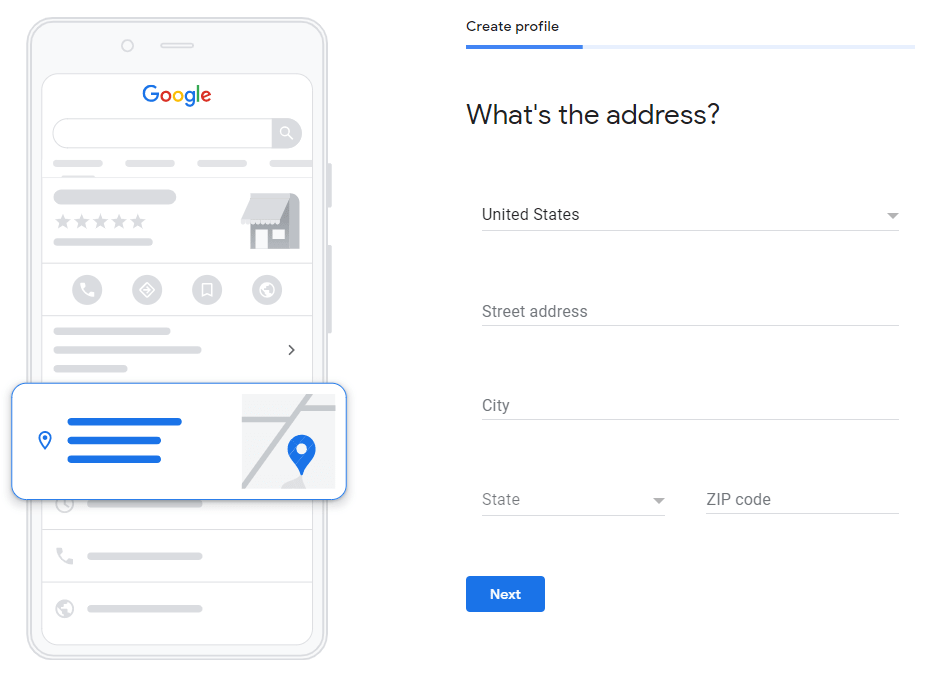
Once you have a physical location, update your GMB listing with the new address. Ensure that all information is accurate and consistent across all platforms to avoid any confusion or penalties from Google.
- Verify Your Location:
Ensure that the address you use for your GMB listing is a real, physical address where your business operates. Avoid using virtual offices, PO boxes, or temporary addresses.
Engage with the local community and encourage customers to leave reviews. This helps establish your presence and builds trust with both Google and potential customers.
- Enhance Local SEO:
Create content that is relevant to the local area. Blog posts, local news, and community events related to your business can improve your local SEO.
Build backlinks from local websites, directories, and organizations. This can further establish your business’s local presence and improve your search rankings.
Relocating or opening a new office in the target city is the most effective way to ensure your business is considered legitimate and trustworthy by Google. This strategy not only helps avoid penalties but also enhances your local SEO, making your business more visible and accessible to potential customers.
Challenge #8: Similar Brand Names Confusing Google
When a competitor uses a brand name similar to yours, it can confuse searchers and negatively impact your business by diverting traffic and revenue. This issue is particularly problematic for multi-location businesses where several listings serve the same city. Similar brand names can dilute your brand’s online presence and affect your rankings on Google My Business (GMB).
How to Address:
1. Modify Your Brand Name on Google Listings:
- Add Location to Your Brand Name: To differentiate your listings, add the office location to the end of your business name (e.g., “Brand Name – Downtown” or “Brand Name – Westside”). This small change can significantly reduce confusion for searchers and help Google distinguish between similar listings.
- Avoid Re-Verification Issues: Directly updating your GMB listing name can trigger a re-verification process, which may lead to a temporary suspension of your listing. To avoid this:
- Local Guide Edits: Have staff members who are active Google Local Guides suggest the name change. This method leverages Google’s community-driven verification system and can help prevent triggering re-verification.
- Accept Recommendations: After the name change suggestions have been made a few times, log in to your GMB listing manager account and accept the recommended update. This process is less likely to require re-verification.
2. Legal and Verification Measures:
- Obtain a DBA or Business License: To support your new business name, obtain a “Doing Business As” (DBA) registration or a city business license that reflects the updated name. This document can be used for manual verification if required by Google My Business support.
- Manual Verification Support: Having official documentation can streamline the verification process if Google requests additional proof to confirm the name change. This proactive step can save time and prevent potential disruptions in your listing’s visibility.
Chaz’s Advice:
- Legal Support: Acquiring a simple DBA or city business license reflecting the new name is highly recommended. This legal document can be crucial for manual verification purposes if required by Google My Business support, ensuring that the name change process goes smoothly and efficiently.
By following these steps, you can effectively differentiate your brand from competitors with similar names and maintain a strong, distinct online presence. This approach helps prevent confusion among customers and improves your business’s visibility and credibility in local search results.
Conclusion
In conclusion, effectively managing your Google My Business (GMB) listings involves addressing various challenges to ensure your business stands out and ranks well in local searches. From handling overlapping service areas by differentiating zip codes to enhancing organic signals to outperform competitors at the same address, each strategy plays a critical role. Regularly auditing for duplicate listings and ensuring each location has unique contact details can prevent penalties and maintain clear visibility. Building brand visibility through optimized websites, social media, and press releases enhances trust and prominence. Establishing genuine physical locations and differentiating similar brand names can further improve local search rankings and avoid suspension. By implementing these strategies, you can maintain a strong, consistent online presence and attract more customers.